How to make a shared watchlist on Letterboxd.
You can’t. Letterboxd lets friends view a list you share, but only you can add or remove films. Here is the closest workaround, and how to make a watchlist your whole group can edit in Kuvacult.
What Letterboxd lets you do
Every list on Letterboxd belongs to one member. Since 2023, you can also share a private list with friends through a secret link instead of making it public. Your friends can open and browse it, but they can’t add films to it.
The usual workaround is to share a private list and have friends message you the films they want added. You can also open a friend’s watchlist and filter it to films you both want to see, which works for two people. Some groups share one login, but that mixes everyone’s diary and ratings together. None of these give a group one list that everyone can add to.
How to make a shared watchlist in Kuvacult
Kuvacult is a free film diary for Windows built for watching with friends. Add friends to any watchlist by name, or share its code with anyone else. Everyone on the list can add films.
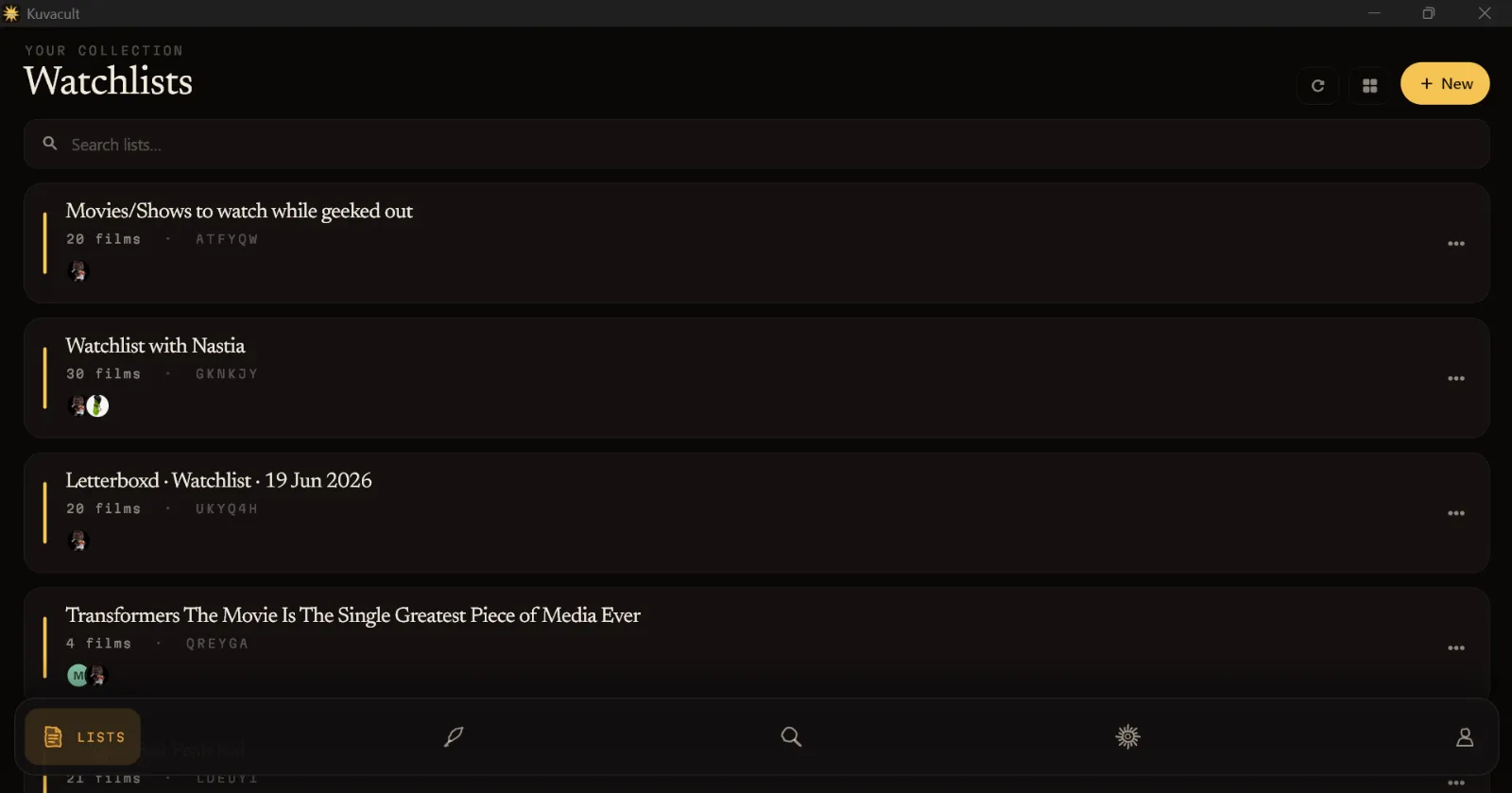 Tap to enlarge
Then pick what to watch
When movie night comes, choose the list in Veto Sacrifice. Everyone takes turns vetoing films until one is left, and ties are settled with blackjack. You can try the tiebreaker in your browser with the movie night picker.
Want a head start? Our watch orders come with keys that create a full, ordered watchlist in one step, such as the MCU in chronological order.
Questions
Can you make a shared watchlist on Letterboxd?
Not one that several people can edit. Every Letterboxd list has a single owner. You can share a private list with friends using a link, but only the owner can add or remove films.
How do I share a private list on Letterboxd?
On the Letterboxd website, edit the list and change its sharing setting so friends or anyone with the link can see it, then send them the link. Your friends can view it but not edit it.
Can I see which films my friend and I both want to watch on Letterboxd?
Yes. Open your friend’s watchlist and filter it by films that are also in your watchlist.
Is Kuvacult’s shared watchlist free?
Yes. Shared watchlists, the veto game and séances are all free, with no subscription.
See the full Letterboxd vs Kuvacult comparison.

Watch it with your friends.
Kuvacult is a free movie tracker with shared watchlists, a veto game for picking movie night, and séances for watching together.